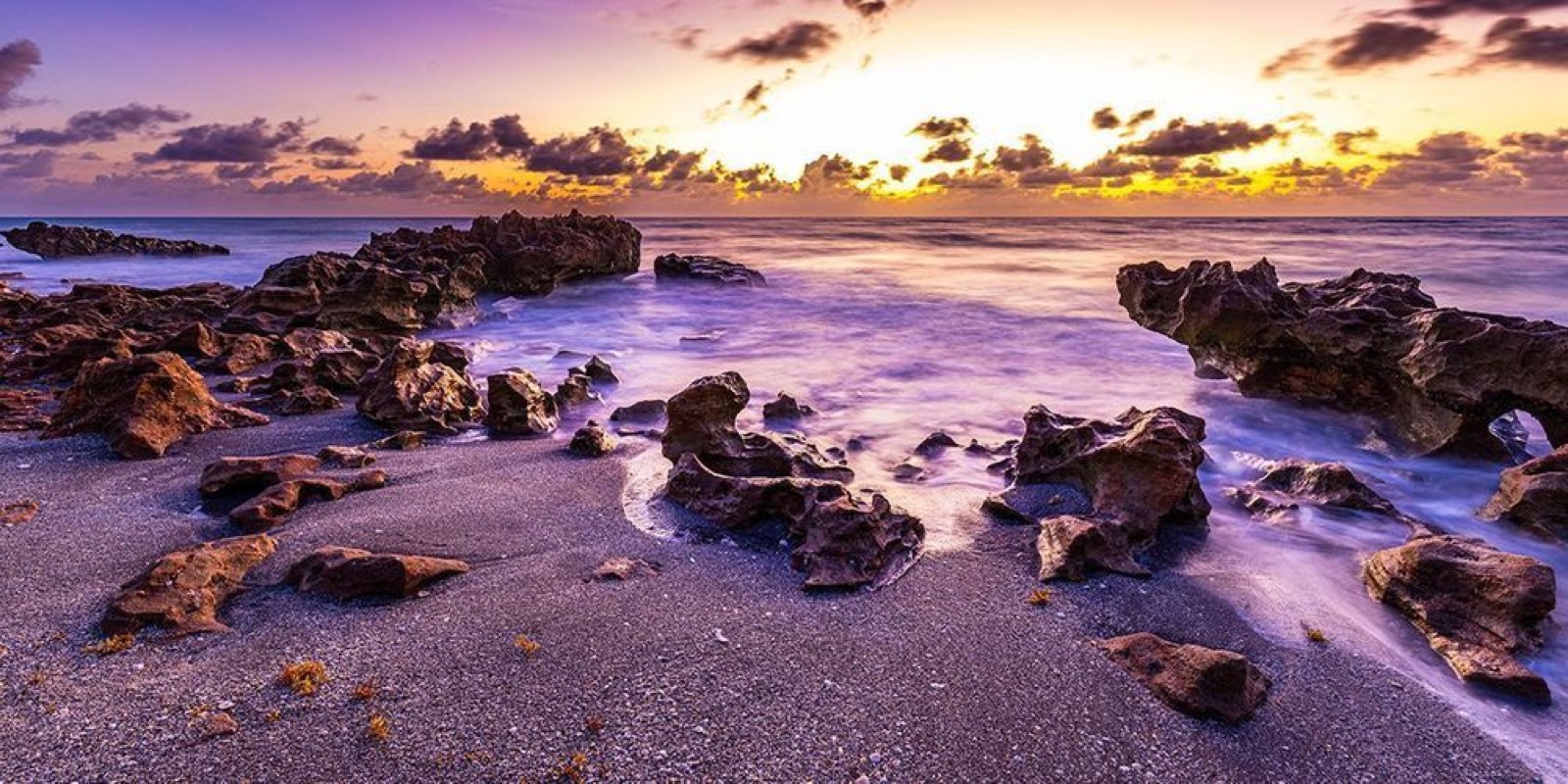
Photograph: Neal Nachman / Artistic Creationz. Used as an illustrative image.
Equipment guide. This article explains selection and evaluation criteria; it is not a hands-on product review.
A neutral-density filter reduces the light reaching the camera, allowing a longer exposure or another exposure choice in brighter conditions. Before fitting one, decide what you want movement to look like. Smooth water, visible streaks and a nearly abstract surface are different outcomes.
Begin without the filter
Compose, focus and establish an exposure before adding the filter, following the camera’s recommended procedure. Notice which parts of the scene are moving and which should remain sharp. A long exposure can soften foliage or people as well as water.
Make a short test sequence rather than assuming the longest exposure will be the strongest image. Compare the shape and rhythm of the movement.
Check the whole setup
Use suitable support and a release method that avoids unnecessary camera movement. Confirm that the filter fits the lens and does not create unwanted dark corners. Check color and reflections, particularly when combining filters.
Review the histogram and bright areas after the test. Conditions can change while you are setting up, so a calculation is a starting point rather than a substitute for inspection.
Keep a reference frame
Save an unfiltered photograph alongside the long exposure. It helps you judge whether the treatment adds meaning or merely changes the surface appearance. Use the shutter duration that supports the subject, even when a shorter exposure preserves more of the scene’s energy.
Continue exploring
Fireworks 101: Photographing Fireworks · Beyond Golden Hour: Finding Beautiful Photographs in Unexpected Light