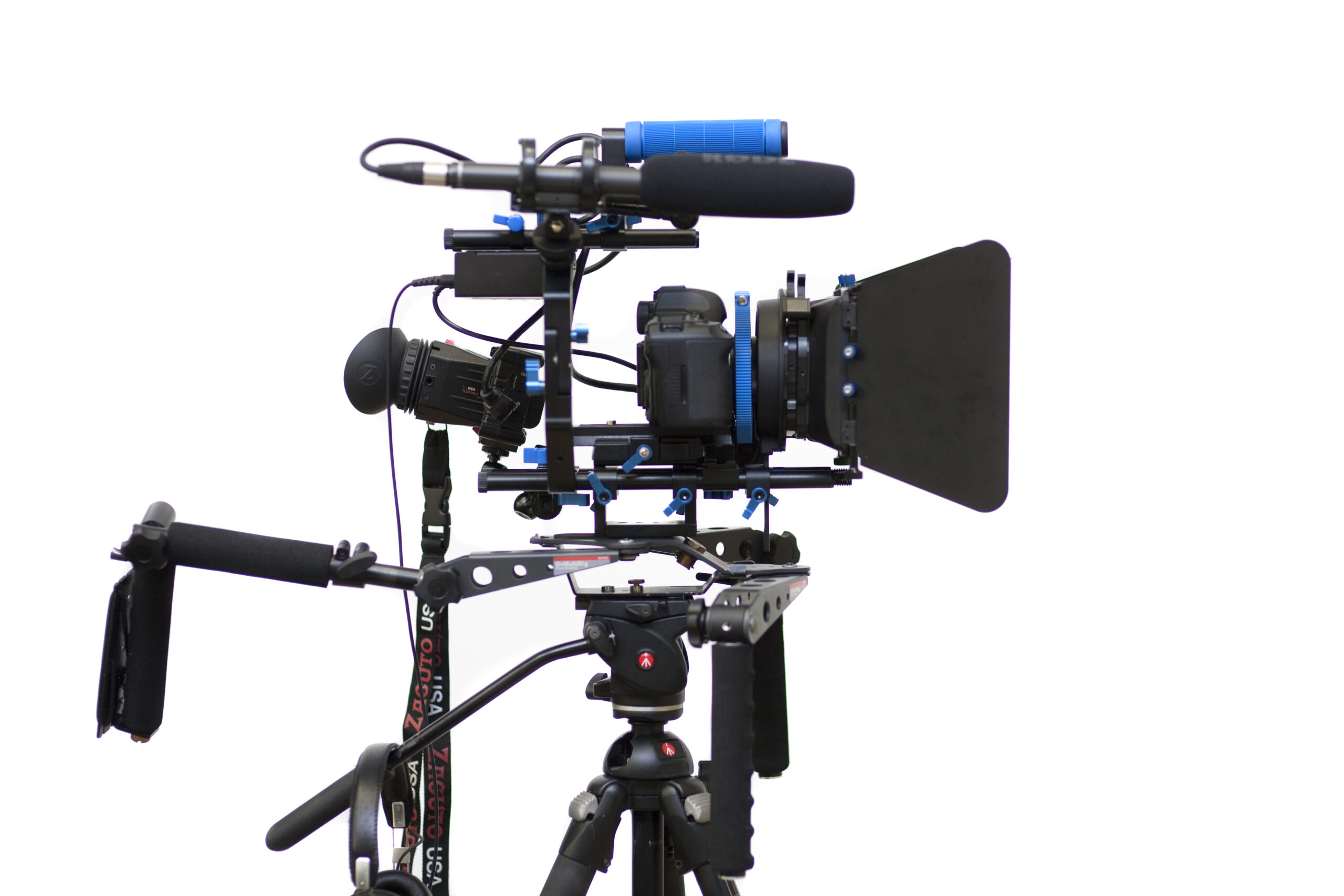
Photo: Sebastiaan ter Burg, DSLR Video rig, CC BY-SA 2.0. Resized; card thumbnails may be cropped. Archive equipment illustration.
Equipment guide. This article explains selection and evaluation criteria; it is not a hands-on product review.
A camera rig can improve handling and provide mounting points, but adding every available accessory can make a simple camera difficult to use. Start with one recurring problem, such as an awkward monitor position or a cable that needs proper support.
Define the minimum useful setup
List what must be attached and why. Keep the camera’s card slot, battery compartment and essential controls accessible. Check the cage or rig maker’s compatibility list for the exact body and any attached grip.
Try the camera in both shooting and packing configurations. A rig that works on a tripod may be awkward to carry or too large for the existing case.
Add components in stages
Fit one accessory at a time and check the effect on balance and access. Use appropriate mounting hardware and follow load guidance. Avoid assuming a threaded connection is suitable for every direction of force.
SmallRig’s S5 cage documentation, for example, identifies specific camera compatibility and notes a screen-clearance limitation with certain cable clamps. Such details illustrate why exact combinations matter.
Rehearse the assignment
Record a short sequence, change a battery and replace a card. Then pack and rebuild the rig. Remove parts that do not help. A useful rig is a repeatable working arrangement that solves a real problem without turning routine tasks into a series of avoidable adjustments.
Continue exploring
RED Digital Cinema, Inc. Releases The V-RAPTOR [X] Z Mount And KOMODO-X Z Mount Cinema Cameras Compatible With The Nikon Z Mount · Canon EOS C80 Becomes Netflix Approved
Source and further reading: SmallRig S5 cage compatibility and clearance notes. Checked October 8, 2026.