A flash that works in one shutter mode may stop firing or produce an uneven frame in another. Before a portrait session, check the full combination: camera body, shutter mode, flash, trigger and selected sync setting. There is no single maximum sync speed that applies to every camera.
Start with the camera’s supported mode
Canon’s explanation of EOS shutter modes distinguishes mechanical, electronic first-curtain and fully electronic operation. It notes that many EOS models cannot use flash with the fully electronic shutter, while some faster-reading models can. That exception is a reason to consult the exact manual, not a reason to generalize from one camera to an entire brand.
The EOS R6 manual also shows that maximum synchronization speed varies with shutter mode. Find the corresponding section for your own body and note any restrictions for third-party flash equipment. A quiet or silent shooting setting deserves particular attention if flash unexpectedly becomes unavailable.
Establish a reliable baseline
Choose a supported ordinary flash mode and a shutter speed comfortably within the documented limit. Photograph a plain, evenly positioned subject with enough flash contribution to reveal a dark band or uneven coverage. Confirm that the flash has recycled before each frame.
Then test the shutter speeds and release settings you expect to use. Change one setting at a time. If a problem appears, return to the last reliable combination and check the trigger’s compatibility and timing guidance. Simply increasing flash power will not correct a synchronization mismatch.
Treat high-speed sync as a separate setup
High-speed sync requires compatible equipment and an enabled mode. Verify its exposure and operating limits before making it the default for a session. A setup that succeeds for one frame should also be checked at the expected shooting pace.
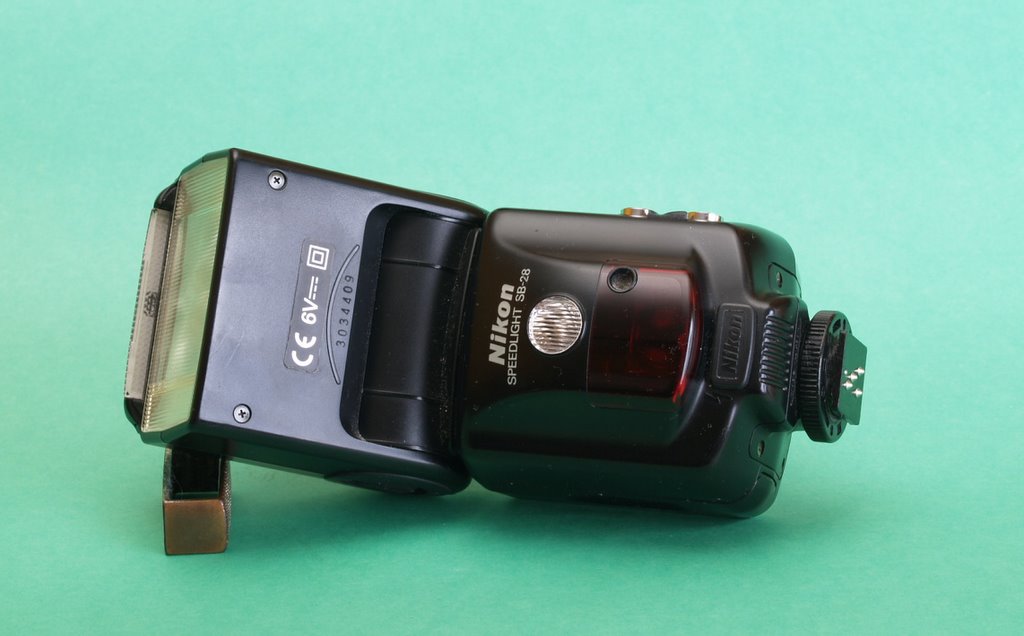
Keep a short note of the working combination with your lighting kit. Use our guide to continuous light and flash when choosing the light source, and our lighting specifications guide when comparing equipment. The historical Nikon SB-28 photograph is an illustration of a flash unit, not a claim that it supports the Canon combinations discussed here.
Sources and further reading
Nikon Speedlight SB-28 photograph: HenrikHardcore at Danish Wikipedia / Wikimedia Commons, CC BY-SA 3.0. Source: https://commons.wikimedia.org/wiki/File:Nikon_flash_Speedlight_SB-28.jpg . License: https://creativecommons.org/licenses/by-sa/3.0/ . Resized for display.