When photographing unpredictable motion or working in fast-evolving shooting environments, relying on a single button to handle both focus and image capture introduces friction. By default, pressing the camera’s shutter button halfway activates autofocus, while pressing it down fully trips the shutter. In practice, this default setup couples two distinct mechanical decisions: locking the focal plane and deciding the exact split second to expose a frame.
Decoupling these operations—assigning autofocus initiation solely to a dedicated rear control, such as the AF-ON button, and leaving the shutter release button exclusively responsible for taking the photo—fundamentally changes camera responsiveness. As detailed in technical documentation from Nikon USA’s guide to AF-ON autofocus benefits, custom-setting the AF-ON control to isolate focus removes reliance on half-pressing the shutter button.
The Operational Mechanics of Decoupled Autofocus
In standard factory configurations, the shutter button serves dual duties. If you track an erratic subject or attempt to recompose a static scene, every time your finger eases up on the shutter, autofocus disengages. Re-pressing the shutter forces the camera system to refocus from scratch. This can lead to missed frames if the lens hunts or locks onto an unwanted foreground element right as the shutter is tripped.
Configuring the camera for AF-ON back-button operation resolves this issue by establishing clear, manual control over the autofocus drive. According to Nikon’s documentation, switching the camera’s custom autofocus settings to AF-ON only means the shutter button will strictly fire the shutter when pressed. Photographers Jay Watson, Gary Small, and Mark Alberhasky outline key field advantages of this control scheme across multiple shooting disciplines:
- Eliminating Focus Interruption: As wedding photographer Gary Small explains, disconnecting focus from the shutter release ensures the shutter will fire on command without being stalled by a system trying to acquire lock. Furthermore, if a person walks into the foreground right before the shutter release is pressed, the camera will not inadvertently refocus away from your primary subject.
- Seamless Mode Merging: Sports photographer Jay Watson points out that setting the autofocus mode to continuous (AF-C) while using AF-ON allows the camera to function simultaneously as both continuous and single-servo autofocus without turning dials. Tapping and releasing AF-ON locks focus like AF-S, allowing quick recomposition; holding the button down tracks active movement across the scene.
- Preventing Unnecessary Vibration Reduction Drain: Wildlife photographer Mark Alberhasky notes that on traditional setups, half-pressing the shutter to acquire focus simultaneously engages the lens or camera Vibration Reduction (VR) system. Decoupling the buttons allows photographers to track and adjust focus on observing wildlife without driving the VR mechanism continuously, which conserves valuable battery power until the shutter button is actually depressed.
- Reducing Finger Fatigue: By shifting autofocus operation to the right thumb, the index finger no longer needs to sustain a delicate half-press over long shooting sessions. This reduces physical fatigue and yields a smoother, less abrupt release on the shutter.
These principles build naturally on baseline camera handling. To establish consistent muscle memory, you can review techniques from our previous tutorial, Back-Button Focus: A Practice Session Before Your Next Wildlife Shoot.
Matching Focal Control to Action and Shutter Speed
Controlling the instant of exposure becomes significantly more reliable when autofocus is decoupled. When capturing fast action, selecting an appropriate shutter speed is essential for freezing rapid movement or deliberately introducing motion blur. In Nikon USA’s analysis of capturing or freezing motion, the relationship between subject velocity and shutter speed dictates how scenes are rendered.
For instance, stopping the swift flight of a hummingbird or the fast-spinning blades of a helicopter in mid-air often demands shutter speeds exceeding 1/1000 second, whereas a general baseline for fairly fast human activity or cycling starts around 1/250 to 1/500 second. At the other extreme, intentional panning or letting action blur conveys dynamic energy. For detailed step-by-step guidance on setting up deliberate motion blur over water or tracking subjects, see our guide on Panning Practice: Build a Smooth Follow-Through Before Chasing Speed.
When these shutter parameters are chosen, decoupling your autofocus ensures the camera is ready to expose at the peak moment. If you pan with a vehicle or bird using a relatively slow shutter speed, pressing AF-ON maintains continuous tracking while your index finger independently times the shutter actuation to match your sweep.
Field Configuration Comparison
Deciding when to decouple controls depends on how quickly your framing and subjects change. Below is a direct comparison of operational characteristics between the unified shutter button setup and decoupled AF-ON control:
| Operational Aspect | Unified Shutter Control (Default) | Decoupled AF-ON Control |
|---|---|---|
| Autofocus Trigger | Half-press of shutter button | Dedicated rear thumb button (AF-ON) |
| Shutter Activation | Full press of shutter button | Full press of shutter button only |
| Recomposing Static Shots | Must maintain continuous half-press | Release AF-ON once focus is locked, then recompose freely |
| Obstruction Reaction | May snap focus to foreground intruders | Maintains pre-set distance unless AF-ON is actively pressed |
| VR Engagement | Active continuously while half-pressing to focus | Engages only when the shutter release is triggered |
| Manual Focus Override | Can be cancelled by subsequent half-press | Preserves fine manual Live View focus adjustments |
Integrating Decoupled Focus into Daily Practice
Transitioning to back-button AF requires an initial period of deliberate practice. Because muscle memory instinctively defaults to half-pressing the index finger, photographers should begin by locking their camera onto a static test subject in continuous AF-C mode. Tap the AF-ON button with your thumb, reframe the composition, and fire the shutter. Notice how the focus plane remains steady without hunting.
Next, practice tracking a moving subject. Hold down the AF-ON button continuously while panning, and fire single frames or bursts using your index finger whenever the composition aligns. By separating the mechanical choice of focusing from the creative choice of exposure timing, you eliminate unwanted focus shifts, reduce operational fatigue, and ensure immediate shutter release when the decisive moment occurs.
Sources
- Nikon USA: Benefits of Using the AF-ON Button for Autofocus (Checked 2026-11-17)
- Nikon USA: Capturing or Freezing Motion in Photos (Checked 2026-11-17)
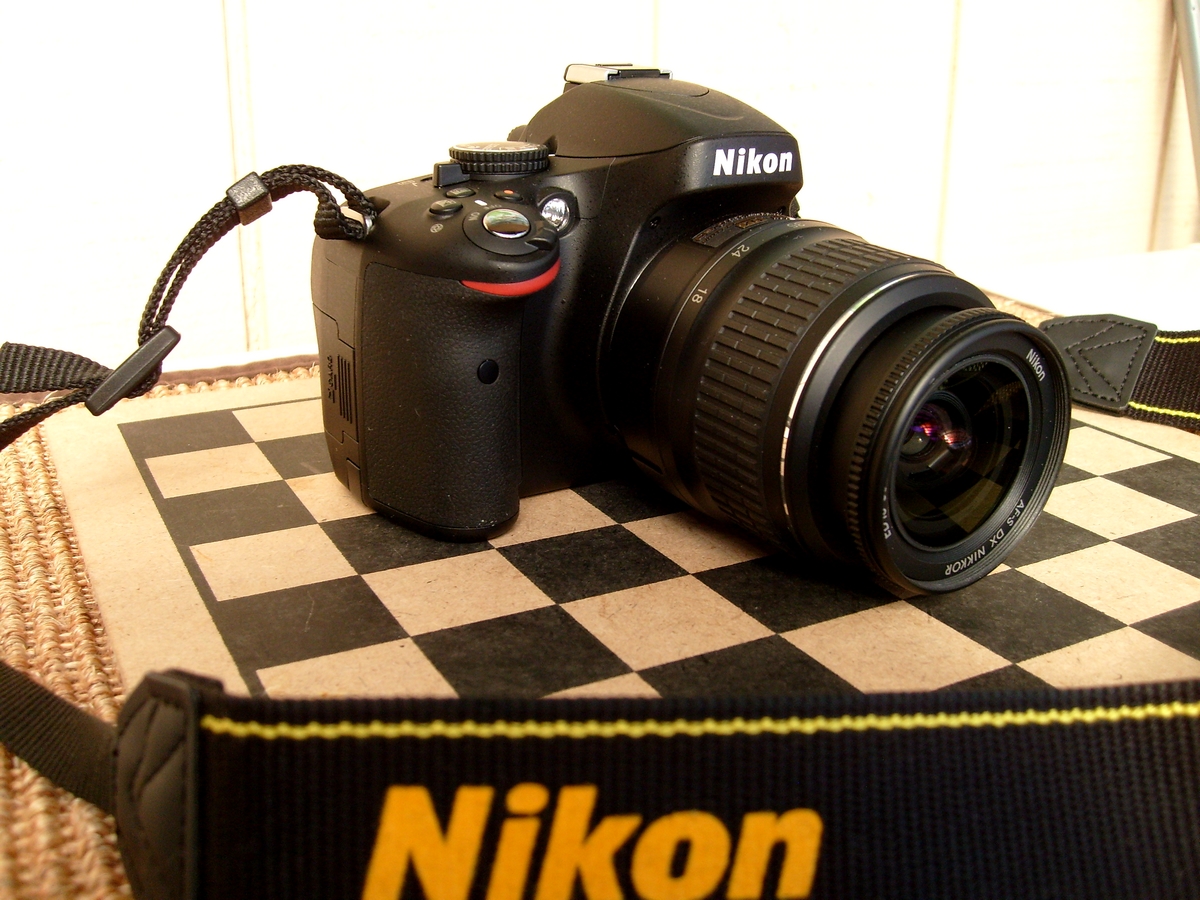
Representative photo of a Nikon DSLR camera body and lens. Photo: James Case from Philadelphia, Mississippi, U.S.A. / Wikimedia Commons · CC BY 2.0. Resized for display. Sources checked November 17, 2026.