Your own photography website should give people a sense of your work while leaving you time to make more. ISO100 founder Elbert Alias explores what makes a portfolio personal, useful and manageable as your photography develops.
By Elbert Alias
When someone asks to see your photography, what would you like to send them? A social profile might introduce what you have been doing recently, while a particular project deserves a more focused selection. If the conversation concerns a commission or an exhibition, you may want the photographs to sit alongside a little information about you and a clear way to get in touch.
Having your own website gives those introductions a home. You can decide which work someone encounters first, how much context accompanies it and what remains prominent after the latest photographs are no longer new. For a committed amateur, that might be a place to develop several interests over time. For an emerging professional, it can also become part of how you introduce yourself and the work you want to do.
I founded ISO100 because I wanted a personal home for my photographs that looked good and took little effort to maintain. The aim is to give photographers meaningful control over that home, without requiring them to design every page or spend more time on the website than they want.
A website you can put your name to
There is something practical about having an address you can use wherever your photography takes you. It can go on a business card, accompany an enquiry or sit beneath your name in an email. When someone follows it, you want the experience to feel connected to the person who sent it, with your photographs and identity setting the character of the site.
Your own domain is part of that continuity. Alongside your name, logo and biography, it helps establish a presence that can remain familiar as the work changes. This matters particularly when you are presenting yourself professionally, but there is no requirement to be earning from photography before wanting a website that feels like yours.
Social platforms can continue to play a useful role. You may enjoy the conversation around a new photograph or the opportunity to encounter other people’s work. A personal website gives you another way to introduce yourself, where you choose the emphasis and can keep a particular collection easy to find for as long as it represents your photography.
ISO100 supports that independence through your own web address and branding, with the presentation centered on your work. You can make the site feel personal without having to build its structure from scratch, and you do not have to adopt the appearance of a photography business if that is not what you need.
What visitors should understand about you is more important than how much you include. A short introduction and a thoughtful selection can be enough to begin with, leaving room for a fuller biography, another project or a different direction when there is a reason to add it.
The website can also make a distinction between what you have photographed and what you want to be known for. You need not give every past subject equal prominence simply because the pictures exist. Choosing which galleries visitors encounter first lets you acknowledge the breadth of your experience while giving more space to the interests you want to pursue, personally or professionally, in the coming years.
Making the presentation suit the work
Once the site has your name on it, you naturally want it to reflect your judgment. That includes how the photographs are presented, even if choosing typefaces and arranging pages is not how you would choose to spend a free afternoon.
There is a useful middle ground between accepting every decision in a template and designing the whole website yourself. You might know that a collection needs more space, that a darker background suits the work or that an opening photograph deserves particular emphasis. Those preferences can be quite clear without extending to how the navigation should behave or how the page should adapt to different screens.
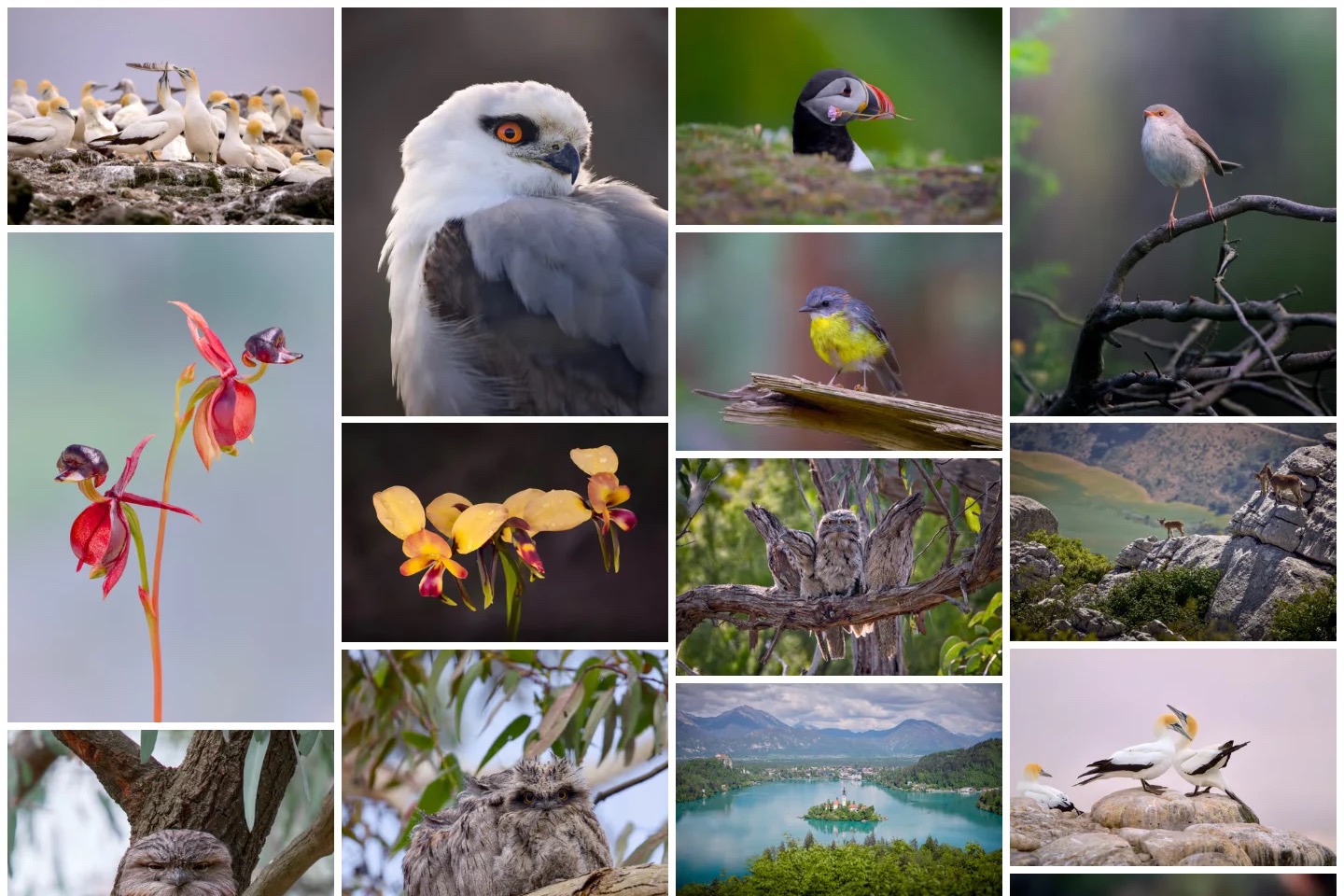
In ISO100, the underlying layouts are designed to work together, leaving you to shape the parts that affect how your photographs feel. You can explore a different cover or a quieter presentation while keeping a consistent foundation beneath the page. The value is in being able to judge the result with your own pictures, without having to resolve each design detail separately.
Consistency need not make every gallery identical. A small personal project and a broader selection can have different rhythms while still belonging to the same website. Repeating some choices across them helps visitors feel at home, while the photographs provide much of the variety.
It is worth looking at the result on a phone as well as a larger screen, because that is how many people will meet the work. ISO100 prepares the photographs for different displays, so you can concentrate on whether the presentation feels right rather than maintain several sets of website exports. You remain responsible for the judgment, with less preparation standing between the photographs and the person viewing them.
Having room to change your mind
A portfolio rarely comes together through a completely tidy sequence of decisions. You might choose the photographs, arrange them and then notice that one picture changes the mood more than you expected. Another may work better in a different gallery, or need a small adjustment now that you can see it beside the rest.
These are normal parts of preparing work to share. It helps to have somewhere to make those decisions without treating every upload or revision as a public announcement. ISO100 lets you bring photographs in, review the selection privately and preview the presentation before deciding it is ready to publish.
That process can fit around the way you already work. If you edit in Lightroom, you can continue there and bring your finished photographs into ISO100. You can also choose pictures from Google Photos or folders on your computer, while supported portfolio imports help you move an existing selection across for review.
If you would rather prepare and present your photographs in one place, you can use ISO100’s own photo editor. You might apply a crop to tighten a composition, straighten a horizon or adjust the brightness of a picture that feels too dark beside the others. Color grading lets you explore the mood of a photograph, perhaps warming its highlights or giving the shadows a cooler tone, while viewing the result before committing to it.
Seeing the collection together may reveal differences that were less apparent when you edited each picture separately. You can respond while the selection is in front of you, with the uploaded original preserved as you explore another treatment.
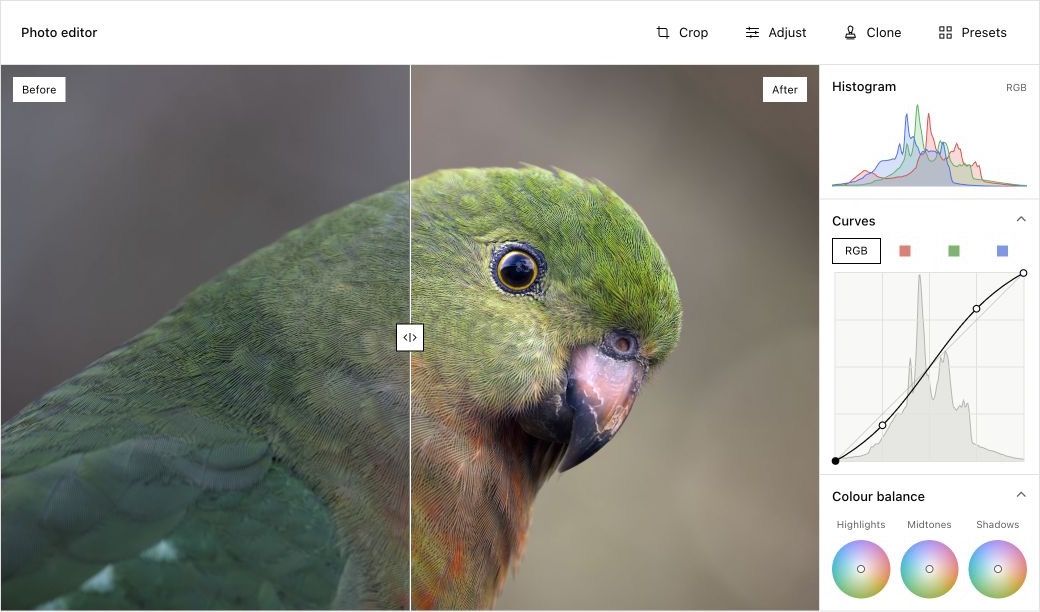
For photographers who do not have an established editing routine, this provides a place to start without adding another application to the process. For those who do, the editor can be there for an occasional adjustment. Either way, you can prepare your photographs, consider them together and publish the finished gallery in the same place.
Introducing the work to someone new
Once the photographs are ready, the portfolio can begin doing something you cannot always do in person: introducing the work and explaining what matters about it. Someone arriving through a shared link may know your name but little about the project, while a prospective client may be looking for a particular kind of photography.
A short gallery description can give either person enough context to begin. Where there is more to tell, a separate page or photo story in ISO100 gives you room to explain how a project developed without interrupting the gallery itself. Readers can follow their curiosity, then return to the photographs with a better understanding of what they are seeing.
A personal project may benefit from an account of what drew you to the subject. For prospective clients, explain the photography you offer and how to discuss an assignment, in language you would use in person.
A biography and a clear way to get in touch give that introduction somewhere to lead. An enquiry about an exhibition or a commission can begin with photographs the visitor has already seen, giving you some common ground for the conversation.
You can also choose the introduction yourself by sending a link to the gallery most relevant to an enquiry. The recipient arrives at the work you want to discuss, with the wider portfolio available to explore. ISO100 prepares search and sharing information from your content, helping that context remain clear when the link travels beyond the website.
Putting the portfolio to work
If a conversation leads to an assignment, the website can remain useful when the photographs are finished. A client who needs the completed images can receive a gallery link, view the selection and download the files from the same place. In ISO100, unlisted or password-protected galleries let you provide downloads without adding that collection to your public portfolio.
The client receives a considered presentation of the finished work, with gallery downloads allowing them to collect the complete set rather than save each photograph individually.
There may also be photographs you want to offer beyond a particular assignment. Someone browsing a landscape collection might want an image to print for their home, or a business might be interested in using a photograph in its own materials. You can offer individual images or complete collections for purchase through ISO100, choosing your prices and the licenses that describe how buyers may use them.
The purchase can take place directly from the portfolio, with the buyer receiving access to the download after payment. ISO100 takes no commission on those sales. That gives a photographer a way to respond to interest in the work without making a separate storefront the next project to build and maintain.
Downloads and sales are optional. You can use a gallery to deliver one assignment, offer another selection for sale and leave the rest of the portfolio purely for viewing. They support those needs while the website remains centered on presenting your photography, rather than organizing every part of running a business.
Returning to the photographs
A useful portfolio should be straightforward to return to when the work changes. You might finish a project, add a new subject or replace a selection that no longer reflects the direction you want. With the presentation established in ISO100, you can concentrate on those choices, review the result and publish when you are ready.
There is no need to keep changing a gallery that still represents the work well. A finished collection can remain a useful introduction long after the photographs were made, without a steady supply of new posts. The next update can follow the photography, whether that happens after a weekend outing or several months spent on a project.
You can start for free and try ISO100 with a selection that matters to you. Whether photography is a committed personal pursuit or a growing part of your working life, the aim is a website you are comfortable sharing and can keep current without disproportionate effort. Create your portfolio with ISO100, and give the work a home that can develop alongside it.